MBR vs GPT: Understanding the Key Differences and Making the Right Choice
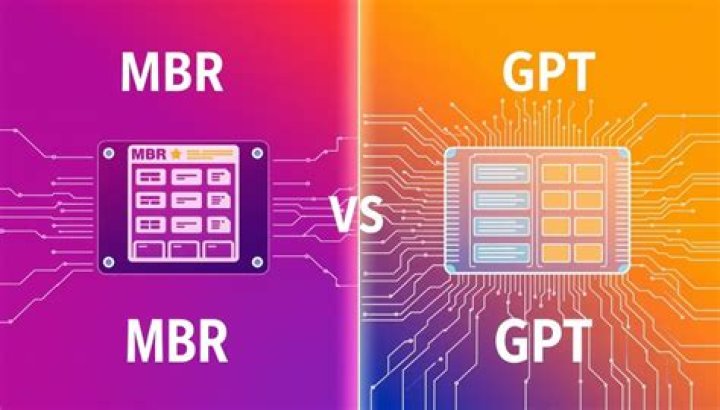
When it comes to partitioning systems for hard drives, two primary systems dominate the landscape: MBR (Master Boot Record) and GPT (GUID Partition Table). Both offer unique advantages and cater to different needs, but understanding their differences is crucial for making the right decision for your system. In this article, we will explore the nuances of MBR vs GPT, their applications, advantages, and limitations.
As technology advances, the need for more efficient and reliable disk partitioning systems becomes increasingly important. Whether you're a tech enthusiast or a professional IT administrator, choosing between MBR and GPT can significantly impact the performance and scalability of your storage solutions.
Throughout this article, we will delve into the history, technical specifications, and real-world applications of both MBR and GPT. By the end, you'll have a clear understanding of which system suits your specific requirements.
What is MBR?
MBR, or Master Boot Record, is one of the oldest and most widely used disk partitioning schemes. It was first introduced in the early 1980s and has been the standard for many years. The MBR resides in the first sector of a storage device and contains critical information such as the boot loader and partition table.
Structure of MBR
The MBR structure consists of four primary components:
- Boot code: Responsible for loading the operating system.
- Partition table: Contains information about the partitions on the disk.
- Signature: Ensures the integrity of the MBR.
- Reserved space: Used for future enhancements.
Applications of MBR
MBR is commonly used in older systems and is compatible with a wide range of operating systems. Its simplicity and reliability make it a popular choice for smaller storage devices. However, its limitations in terms of disk size and partition count have led to the development of alternative systems like GPT.
What is GPT?
GPT, or GUID Partition Table, is a newer and more advanced partitioning system introduced as part of the UEFI (Unified Extensible Firmware Interface) standard. GPT offers several advantages over MBR, including support for larger disk sizes and more partitions.
Structure of GPT
GPT is designed to be more robust and flexible than MBR. Its key features include:
- Primary GPT Header: Contains metadata about the partition table.
- Backup GPT Header: Ensures redundancy and data recovery.
- Partition Entries: Detailed information about each partition.
Applications of GPT
GPT is ideal for modern systems with large storage capacities. It is widely adopted in enterprise environments and high-performance computing due to its scalability and reliability. Additionally, GPT is required for systems using UEFI firmware.
MBR vs GPT Overview
Both MBR and GPT serve the same fundamental purpose: organizing and managing disk partitions. However, their approaches differ significantly. While MBR is simpler and more compatible with legacy systems, GPT offers greater flexibility and future-proofing.
Understanding the differences between MBR and GPT is essential for selecting the right partitioning scheme for your needs.
Key Differences Between MBR and GPT
Disk Size Limitations
One of the most significant differences between MBR and GPT is their support for disk size. MBR is limited to 2 TB per disk, whereas GPT supports disks up to 9.4 ZB (zettabytes), making it suitable for modern storage solutions.
Partition Count
MBR allows for a maximum of four primary partitions, while GPT supports up to 128 partitions. This makes GPT a better choice for complex storage configurations.
Reliability
GPT includes redundancy features such as backup headers and CRC checksums, enhancing data integrity and recovery capabilities. MBR, on the other hand, lacks these safeguards, making it more vulnerable to corruption.
Advantages of MBR
Despite its limitations, MBR still holds several advantages:
- Compatibility: MBR is widely supported by older operating systems and BIOS-based firmware.
- Simplicity: Its straightforward structure makes it easy to implement and manage.
- Performance: For smaller disks, MBR can offer slightly better performance due to its lightweight design.
Advantages of GPT
GPT offers numerous benefits that make it the preferred choice for modern systems:
- Scalability: GPT supports larger disks and more partitions, making it ideal for enterprise and high-performance environments.
- Reliability: With built-in redundancy and error-checking mechanisms, GPT ensures greater data integrity.
- Future-Proofing: As storage technology continues to evolve, GPT remains a forward-looking solution.
Limitations of MBR
While MBR has served well for decades, its limitations are becoming increasingly apparent:
- Size Restrictions: MBR cannot handle disks larger than 2 TB, which is a significant drawback for modern storage needs.
- Partition Limitations: The maximum of four primary partitions can be restrictive for complex setups.
- Reliability Concerns: Without redundancy or error-checking, MBR is more prone to corruption.
Limitations of GPT
Although GPT is a superior partitioning system, it does have some limitations:
- Compatibility Issues: GPT is not fully supported by older systems, requiring UEFI firmware for booting.
- Complexity: The advanced features of GPT can make it more challenging to configure and manage.
- Performance Overhead: On smaller disks, GPT may introduce slight performance penalties due to its more complex structure.
Choosing Between MBR and GPT
Selecting the right partitioning scheme depends on your specific requirements and environment:
Factors to Consider
- System Compatibility: If you're using older hardware or legacy operating systems, MBR may be the better choice.
- Storage Needs: For large disks or complex partitioning, GPT is the way to go.
- Future Scalability: If you anticipate upgrading to larger storage solutions, GPT offers greater flexibility and longevity.
Best Practices
When transitioning from MBR to GPT or vice versa, ensure you have proper backups and follow manufacturer guidelines to avoid data loss. Additionally, consider the specific needs of your applications and users when making the decision.
Conclusion
In summary, both MBR and GPT have their place in the world of disk partitioning. MBR remains a reliable option for older systems and smaller storage solutions, while GPT offers scalability, reliability, and future-proofing for modern environments.
We encourage you to share your thoughts and experiences with MBR and GPT in the comments below. Additionally, feel free to explore our other articles for more insights into technology and computing. Together, let's continue to advance our understanding of these critical systems!
Data Sources: